
Aron Dental AI
    Sign in

    Product›Communication

    Communication · Patient check-in

    Patient Check-In for Dental Offices Arrive, Check In, Sit Down

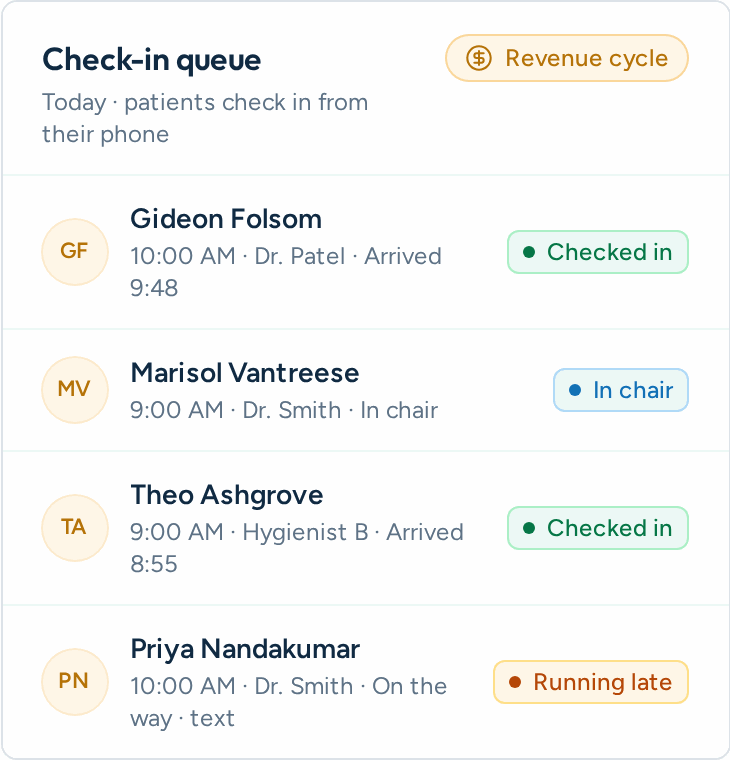
    Patients check in from their own phone or your front-desk iPad, finish any outstanding forms on the spot, and your team sees who's here the moment they arrive.
    Communication view in the Aron app

    What it does

    How it works in Aron

    01

    Patient Arrives

    They scan the QR code or walk up to the front-desk iPad.

    02

    Name + Birthday

    Aron matches them to today's appointment in your schedule.

    03

    Finish Forms

    Any outstanding forms appear on the spot, ready to sign.

    04

    Front Desk Knows

    The arrival board flips to Checked in or Ready instantly.

    Included
    What's included

    • Your Own Check-In Page — Every location gets its own branded check-in address with your logo and welcome message. No app for patients to download.
    • Front-Desk iPad Kiosk — Open kiosk mode on any tablet. The screen clears itself after each patient so nobody sees the last person's details.
    • Printable QR Code — Post it at the front window or on the counter. Patients scan with their own phone and check in in seconds.
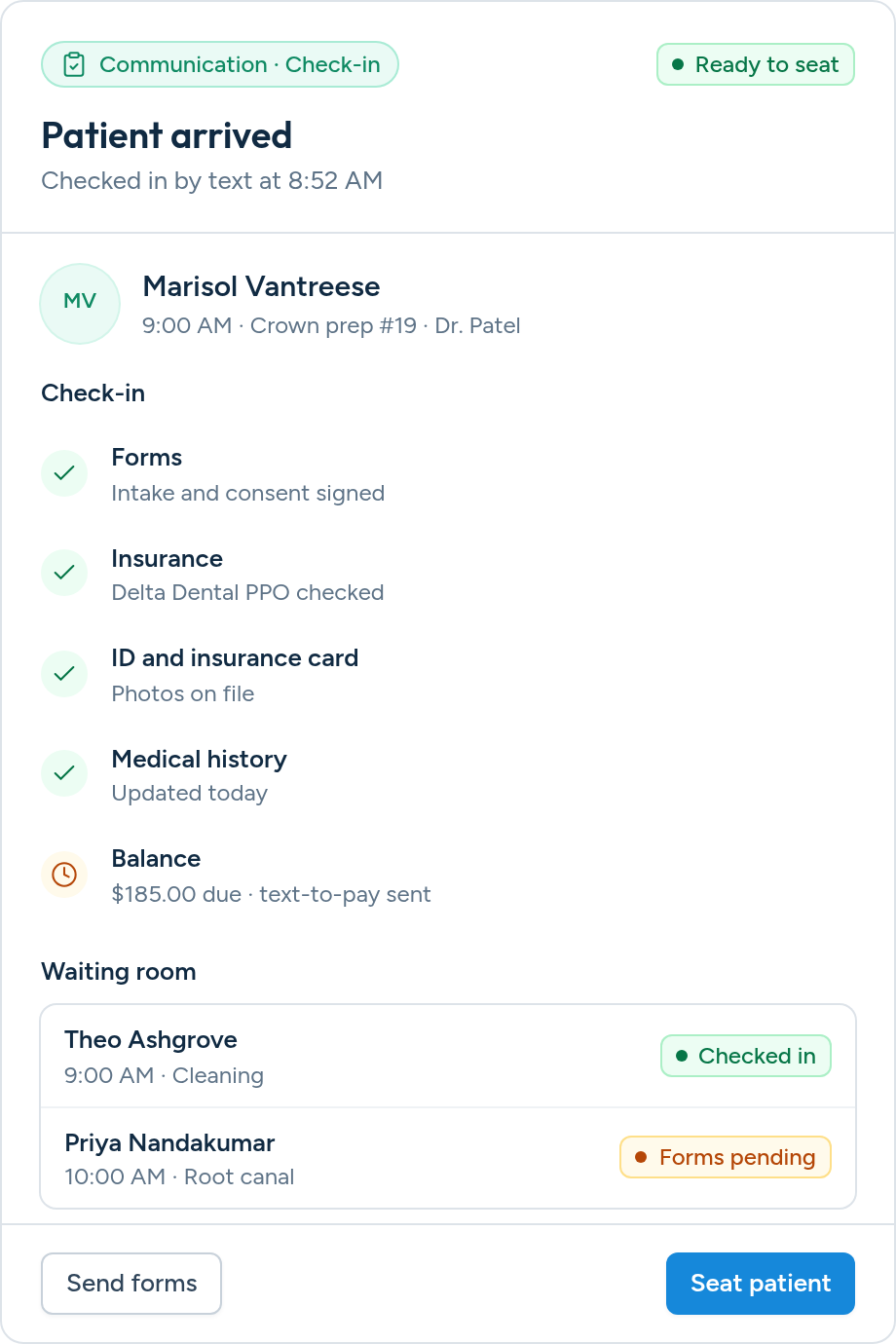
    • Forms at Arrival — If a patient still owes intake or consent forms, they see a checklist and fill them in right there, with signatures and PMS push.
    • Live Arrival Board — A Check-In tab shows every visit today with Not arrived, Checked in, Forms pending and Ready statuses that update live.
    • Built for Families — Matching uses date of birth first. When family members share a birthday, Aron asks for the last 4 digits of the phone on file.
    • Needs-Help Alerts — If a patient can't be matched, the front desk is alerted with what they typed. Aron never creates a duplicate chart.
    • Privacy by Design — Only patients booked today can check in. The page shows a first name and visit time only, never balances or insurance.
    Patient check-in checklist in Aron

    Outcomes

    What changes for your practice

    Your Own Check-In Page

    Every location gets its own branded check-in address with your logo and welcome message. No app for patients to download.

    Front-Desk iPad Kiosk

    Open kiosk mode on any tablet. The screen clears itself after each patient so nobody sees the last person's details.

    Printable QR Code

    Post it at the front window or on the counter. Patients scan with their own phone and check in in seconds.

    Works with the PMS you already use

    • Open Dental
    • Dentrix
    • Eaglesoft
    • Curve Dental
    • Denticon
    • Dolphin
    • Tracker
    • Cloud 9

    Questions?

    Do patients need to download an app?

    No. The check-in page opens in any phone or tablet browser. There's nothing to install and no login to remember.

    What happens if a patient isn't found?

    They're asked to see the front desk, and your team gets a Needs help alert showing the name and birthday they typed. Aron never creates a new chart from check-in.

    Can someone look up another patient?

    Check-in only finds patients with an appointment today at that location, shows a first name and visit time only, and limits attempts per device.

    Does it work with our forms?

    Yes. Outstanding Aron digital forms for that patient appear at check-in, and completed forms push to your PMS the same way they do today.

    Can we use it at multiple locations?

    Yes. Each location has its own check-in address, QR code, settings and arrival board.

    A Modern Arrival Experience

    See check-in, forms and the live arrival board in a quick walkthrough.