
Instant Caller Identification
Incoming calls are automatically matched against your patient database. See name, insurance, last visit, and next appointment before you pick up.
Product›Communication
Communication · Screen pop
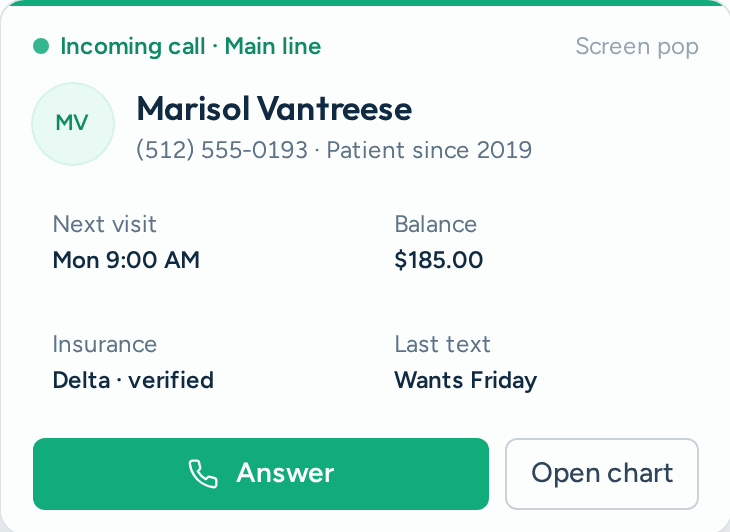
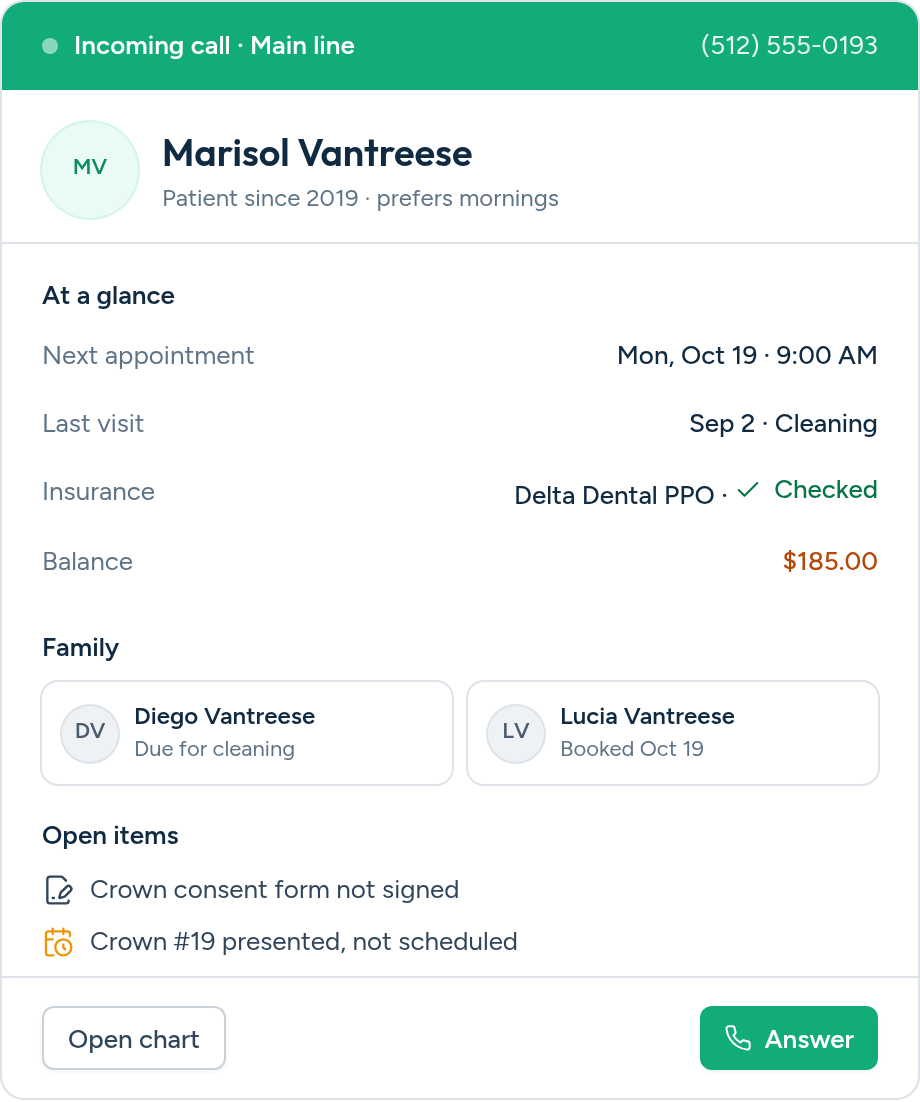
The moment a patient calls, Aron identifies them from your PMS records and displays their name, insurance, last visit, and quick actions, right on your dashboard. No more "Can I get your name again?"
What it does
A patient or new caller dials your practice number. Our system identifies them instantly.
The caller's phone number is matched against your PMS patient records in real time.
A notification slides onto your dashboard with caller name, insurance, visit history, and quick actions.
Greet the patient by name, send a quick SMS, or dismiss, all without leaving your screen.
Included
Replace the awkward "Who am I speaking with?" with personalized patient greetings
Outcomes
Incoming calls are automatically matched against your patient database. See name, insurance, last visit, and next appointment before you pick up.
Instantly know if the caller is a returning patient or a brand-new lead. Tailor your greeting and workflow accordingly.
A sleek panel slides in from the right side of your dashboard with full patient details, no extra tabs, no context switching.
Works with the PMS you already use
When a call comes in through your Aron-provisioned phone number, the system automatically cross-references the caller's phone number against your synced patient records from your Practice Management System (e.g., Open Dental, Dentrix, Eaglesoft).
Yes! If no match is found, the Screen Pop will display the phone number and clearly label the caller as a 'New Patient,' so your team can adjust their greeting and intake workflow accordingly.
Absolutely. You can choose from multiple built-in sounds, adjust the volume, or mute notifications entirely. All settings are per-device and accessible from your Settings → Screen Pop tab.
The Screen Pop is designed for desktop dashboard use, ideal for front-desk staff. Mobile support is on our roadmap for future updates.
Yes. All patient data is transmitted through encrypted, authenticated connections and is never cached or stored locally in the browser.
No. Screen Pop works automatically with your existing Aron phone number and PMS connection. If your practice is already set up on Aron, it's ready to go. Just enable it in Settings.
Join dental practices using Aron to deliver a premium patient experience from the very first ring. Screen Pop is included with every Aron plan.