
Dental Front Desk Training: A Practical Checklist and 30-Day Plan
A practical dental front desk training plan: phones, scheduling, insurance, check-in and checkout, with scripts, a 30-day checklist and common mistakes.
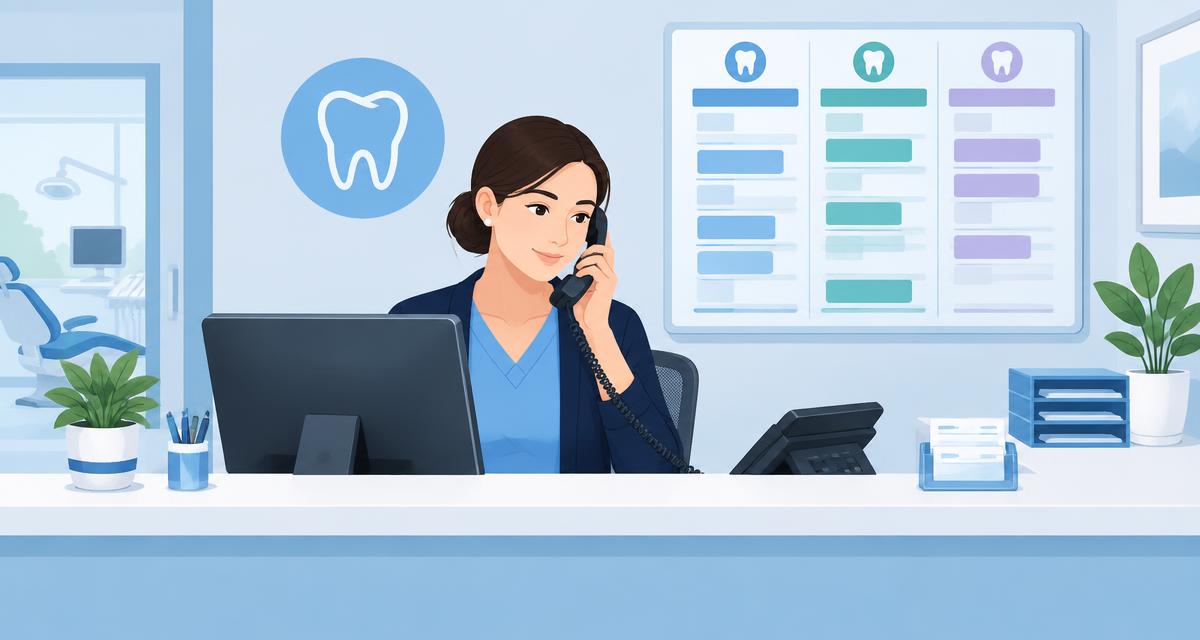
Most patients form their first impression of your practice at the front desk. That usually happens before they see the dentist. It's also one of the hardest jobs in the office. In a single hour, a coordinator might answer new-patient calls and explain an insurance estimate. They might check in three patients, collect a copay and reschedule a cancellation. They may also calm someone who's been waiting too long.
Good training makes that job manageable. This guide covers what a new front desk team member needs to learn. It lays out the order, with scripts and a ready-to-use 30-day checklist.
What dental front desk training should cover
A complete front desk training plan covers six areas:
- Phones and first impressions
- Scheduling
- Insurance basics
- Check-in and checkout
- Payments and financial conversations
- Privacy and office policies
Each one builds on the last. Don't try to teach all of it in week one.
Phones: the most important skill at the front desk
Every new patient starts with a call, a text or an online booking. Phone skills are worth training first.
Answer the same way every time
Use a short, warm greeting that names the practice and the person: "Thanks for calling Bright Smiles Dental, this is Maria. How can I help you?" Consistency makes the practice sound organized.
Always try to book
The goal of almost every call is an appointment. Have new hires offer two specific times. Avoid asking "when works for you?" For example: "I have Tuesday at 10 or Thursday at 3. Which is better?" Our guide to booking more appointments by phone explains this in detail.
Learn the core scripts
New hires should practice these until they don't need to read them:
- A new patient call script for first-time callers
- The "Do you take my insurance?" script, which is the question that most often ends a call without a booking
- An emergency triage script for patients in pain
- Cancellation and no-show scripts to move patients rather than lose them
Our full library of dental phone scripts has all of these.
Handle hold and transfers well
Ask before putting someone on hold. Give them a time ("Can I place you on hold for about a minute?"). Come back when you said you would. Before a transfer, tell the patient who they'll talk to and why.
Don't let missed calls disappear
Calls get missed at lunch, during check-in rushes and after hours. Teach the desk what happens next. Decide who checks voicemail and how quickly missed calls get returned. Make the backup plan clear. Many practices now use missed-call text-back and an AI receptionist so callers get an answer even when the desk is busy. With Aron, the AI receptionist answers 24/7 in English or Spanish. It also finds the patient in your practice software.
Scheduling
Know the appointment types
Teach new hires how long each appointment type takes and which provider handles it. Explain which appointments need special prep. A new-patient exam, a crown prep and a child's cleaning all book differently.
Schedule to the production goal
Explain why the schedule is built the way it is. If you block time for high-production procedures, teach the desk to protect those blocks. Don't fill them with whatever comes first.
Confirmations and short-notice lists
Teach how reminders and confirmations work. Explain what to do when patients haven't confirmed. In Aron, reminders go out by text and email. Patients can reply to confirm or reschedule. Unconfirmed patients are flagged so the desk knows who to call. Keep a short-notice list of patients who want an earlier appointment. That helps you fill cancellations fast.
How easy is it for patients to book with you?
Get a free scorecard that checks your website, Google presence, phone and booking flow, and follow-up, with plain-English fixes.
Get my free scorecardInsurance basics for the front desk
Front desk staff don't need to be billing experts. They need enough knowledge to avoid surprises at checkout:
- In-network vs. out-of-network and what that means for the patient
- Deductibles, maximums and coinsurance in plain English
- Frequency limits, such as how often cleanings and X-rays are covered
- How to verify eligibility before the visit, and what to do when it doesn't match
Teach new hires not to promise coverage on the phone. "We work with most PPO plans, and we'll check your benefits before your visit so there are no surprises" is a safer, more honest response. Our guide to verifying eligibility shows a faster way to do it.
Check-in and checkout
Check-in
Greet every patient by name. Confirm their information and insurance, and check that forms are complete. Let the clinical team know they've arrived. Digital patient check-in and forms sent before the visit keep the lobby moving.
Checkout
Checkout is where the next appointment gets booked. Teach the desk to book the next visit before the patient leaves, especially hygiene recall. Then review the balance and collect payment. Explain any estimate for upcoming treatment.
Payments and money conversations
Many new hires find this the hardest part. Give them simple, friendly language:
- "Today's portion is $X. How would you like to take care of that?"
- "Your insurance estimates they'll cover part of this. Your estimated portion is $X. We'll let you know if anything changes after we hear back from them."
Practice these out loud. Confidence comes from repetition.
Privacy and office policies
Every new hire needs HIPAA training before they handle patient information. Cover the basics. Don't discuss patients where others can hear. Verify identity before sharing information on the phone. Lock screens and follow the practice's policy for texting and email. The HHS HIPAA guidance for professionals is a good public reference. Also review the practice's cancellation, late arrival and payment policies. The desk needs to explain them consistently.
A 30-day front desk training plan
Week 1: Learn and shadow
- Shadow the phones, check-in, checkout and scheduling
- HIPAA training and office policies
- Learn the practice management software basics
- Practice the greeting and the new patient script
Week 2: Phones and scheduling
- Answer phones with a trainer listening
- Book, move and confirm appointments
- Learn every appointment type and length
- Practice the insurance and emergency scripts
Week 3: Insurance and check-in
- Verify eligibility for the next day's patients
- Run check-in on your own
- Learn the short-notice list and confirmation process
Week 4: Checkout and payments
- Run checkout, including booking the next visit
- Collect payments and explain estimates
- Handle a full shift with a trainer nearby
- 30-day review with the office manager
Common front desk training mistakes
- Throwing new hires on the phones on day one without scripts.
- Training only by shadowing, with nothing written down.
- Never listening to real calls. Recording and reviewing calls is one of the best coaching tools available. Get consent and follow your local laws.
- Skipping the "why." People follow processes better when they understand the reason behind them.
- Ending training after 30 days. Keep a short weekly check-in for the first three months.
For the person who'll lead this training, see our dental office manager training plan.
Find the gaps before patients do
Our free scorecard shows how your website, Google profile, phones and booking flow are working, and what to fix first.
Get my free scorecardFAQ
What should dental front desk training include?
Phones and scripts, scheduling, insurance basics, check-in and checkout, payments and financial conversations, and HIPAA and office policies.
How long does it take to train a dental receptionist?
Most practices can get a new front desk team member comfortable with the core of the job in about 30 days with a structured plan. Insurance and money conversations often take longer to master.
What's the most important skill for a dental front desk?
Phone skills. Most new patients start with a call, so answering warmly, handling insurance questions and booking the appointment matter most.
Should front desk staff explain insurance coverage?
They should understand the basics and verify eligibility, but avoid promising coverage. Explaining that benefits will be checked before the visit sets the right expectation.
How can a practice handle calls when the front desk is busy?
Have a clear backup plan. Options include a team member who takes overflow, missed-call text-back, and an AI receptionist that answers when nobody else can. Aron's AI receptionist answers 24/7 in English or Spanish.
Give your front desk backup
In a 30-minute demo we'll show you how Aron answers calls 24/7 in English or Spanish, texts back missed callers, and handles confirmations so your desk can focus on the patients in front of them. No long-term contracts.
Book a 30-minute demo