Eaglesoft Review: Pricing, Features, Pros and Cons
A practical Eaglesoft review: where Patterson's practice management system still holds up, the real cost of the support plan, integration limits, and what to do if you are staying on it.
TL;DR
Eaglesoft is a stable, familiar, server-based practice management system with a loyal installed base, tight ties to Patterson hardware and imaging, and a workflow that experienced teams move through quickly. It is also the system where we most often see practices held back, by an aging interface, by integration limits, and by a support relationship that is bundled with equipment purchasing.
Our score: 7.2 / 10, fine to stay on, rarely the right system to newly choose in 2026.
Who Eaglesoft Is For
- Practices already deep in the Patterson ecosystem for imaging, sensors, and equipment service.
- Single-location general practices with tenured staff who know the software cold.
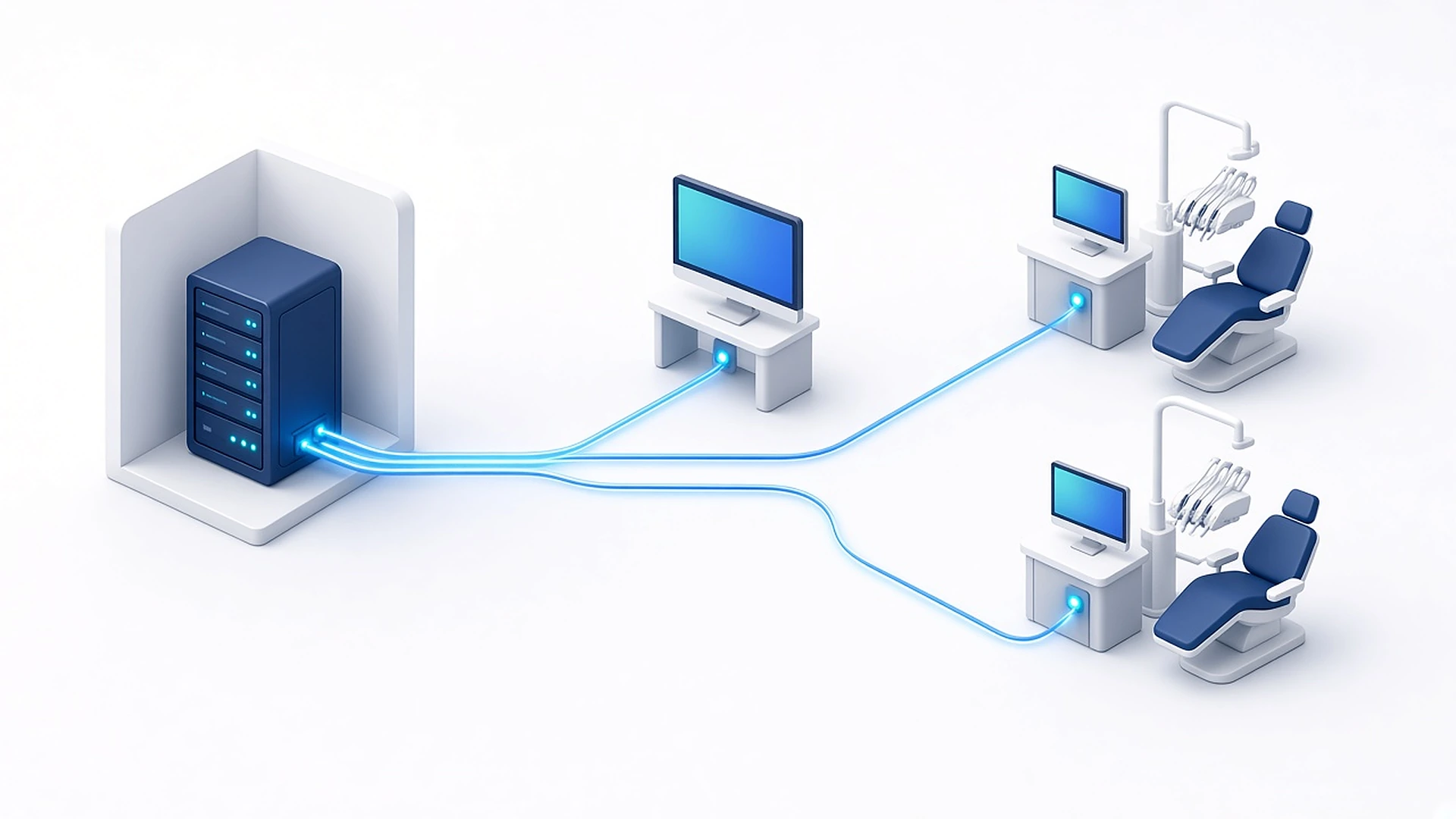
- Owners who prefer on-premise and have a dependable IT provider.
Core Features
Scheduling and Front Office
The OnSchedule appointment book is efficient, with provider and operatory views, recall tracking, and a solid walkout process. Front-desk workflow, check-in, walkout statement, payment, next appointment, is one of Eaglesoft's better-designed paths.
Clinical
SmartDoc charting, perio, clinical notes, and treatment planning cover the basics well. Imaging integration is the standout: Patterson sensors and cameras drop into the chart with almost no friction.
Ledger and Insurance
Account ledgers, insurance estimating, claim submission, and electronic remittance are all present and dependable. Reporting is functional but plain, and the practice-level analytics most owners want today are not really there.
Where Eaglesoft Falls Short
- Aging interface. The design language predates modern expectations, and new team members trained on cloud systems find it slow going.
- Server-bound. Remote access and multi-location visibility require hosting or remote desktop, with the maintenance burden that implies.
- Integration is the biggest constraint. Third-party access is narrower than Open Dental and generally requires vendor-approved paths. Some tools can read data comfortably but write back only in limited ways, which matters enormously if you are adding AI booking or automated payment posting.
- Support is entangled with purchasing. The software relationship and the equipment relationship come from the same vendor, which limits leverage.
Pricing
Eaglesoft pricing is quoted, not published. The usual structure is a license or subscription per practice plus an annual support and maintenance plan, with electronic services, patient communication, and payments billed separately. Support renewals are where practices feel the cost most; ask for a multi-year quote and clarify what is included versus billed hourly.
Integrations and API
Scheduling and patient data can be surfaced to third-party tools through approved middleware, which is how most modern communication and AI platforms connect. Before committing to any external booking or payments product, confirm in writing: can it write new appointments into the schedule, and can it post payments to the ledger? On Eaglesoft the honest answer is more often "read yes, write partial" than it is on open systems.
Switching To or From Eaglesoft
Eaglesoft-to-Open Dental and Eaglesoft-to-cloud conversions are among the most common migrations in the industry, and conversion vendors handle them routinely. Patients, appointments, ledger history, and most clinical notes convert; imaging usually stays with the imaging vendor. Budget a full weekend, a validation checklist, and a light schedule for the first week.
How Aron Fits With Eaglesoft
For practices staying on Eaglesoft, the highest-value additions sit around the PMS rather than inside it: an AI receptionist for missed and after-hours calls, automated reminders and confirmations, recall and unscheduled-treatment outreach, and text-to-pay collections with reconciliation. Where the PMS permits write-back, Aron writes appointments and payments into it; where it does not, everything is staged for one-click posting by the front desk instead of silently drifting out of sync.
Where the PMS permits write-back, appointments and payments are written directly. Otherwise they are staged for one-click posting.
Implementation and Onboarding
Eaglesoft conversions are routine for Patterson and its resellers, and the project shape mirrors other server-based systems: scoping, hardware review, test conversion, validation, training, go-live. Four to eight weeks is typical for one location.
Two areas deserve extra attention. First, imaging. Many Eaglesoft practices run Patterson imaging hardware and software alongside the PMS, and the bridge configuration should be tested on every operatory workstation before go-live rather than on the day. Second, insurance setup. Carrier records, plan structures, and fee schedules rarely convert cleanly from a legacy system, and an inaccurate fee schedule silently distorts every estimate your team gives a patient.
Total Cost of Ownership
Pricing is quoted per practice. A three-year model should include the license or subscription, the ongoing support plan, electronic services (claims, statements, eligibility), patient communication add-ons, payment processing, server and workstation hardware with a four to five year refresh, IT management or hosting, and backup and disaster recovery. Practices frequently find that electronic transaction fees and the communication module together rival the base software cost, so quantify them separately rather than accepting a single bundled number.
Data, API and Integration Depth
Eaglesoft integrates through a partner program rather than open data access. The ecosystem is solid for imaging and clinical hardware and thinner than Dentrix or Open Dental for modern software layers. Practical guidance:
- Confirm any prospective vendor is an approved integration partner, not a screen-scraper.
- Ask explicitly whether the integration writes back appointments and payments, or only reads. Read-only tools create a second calendar and a reconciliation problem.
- Where deep write-back is not permitted, the workable pattern is staging: the automation prepares the appointment or payment posting and the front desk confirms it with one click, so nothing drifts out of sync.
Reporting and the KPIs That Matter
Stock reporting covers production, collections, aging, treatment plan status, and recall. It is adequate for daily management and weak for trend analysis and multi-location roll-up. Most growth-minded owners export to a spreadsheet or an external analytics layer to track net collection percentage, hygiene reappointment rate, case acceptance, unscheduled treatment by age, and insurance aging over ninety days.
Security, Compliance and Backups
Because the database lives on your server, HIPAA responsibility is local. Individual user logins, permission groups tuned by role, audit logging, patched operating systems, encrypted offsite backup, and a tested restore process are the baseline. If you use remote desktop for after-hours access, put it behind a VPN and multi-factor authentication rather than exposing it to the internet, that specific misconfiguration is one of the most common breach vectors in small dental practices.
Eaglesoft vs the Alternatives
- vs Dentrix, Same generation of technology and similar commercial model. Dentrix has more third-party partners; Eaglesoft is often preferred by practices already standardized on Patterson hardware and service.
- vs Open Dental, Open Dental wins decisively on cost at scale and integration freedom, and is the most common destination for practices leaving Eaglesoft.
- vs Curve Hero, Curve solves remote access and IT burden, at a higher per-provider subscription.
- vs Denticon or Dentrix Ascend, Only worth evaluating if you are managing several locations and need centralized control.
Switching Checklist
- Reconcile a sample of converted ledgers line by line before decommissioning the old database.
- Rebuild fee schedules and verify three real estimates per major carrier.
- Test imaging bridges on every operatory.
- Re-authorize every integration and confirm write-back post go-live.
- Keep read-only access to the legacy system for at least a year.
FAQ
Is Eaglesoft cloud-based?
No. It is a server-based Windows application. Cloud access requires hosting or remote desktop.
How much does Eaglesoft cost?
Pricing is not published; it is quoted per practice with an ongoing support plan and separate charges for electronic services.
Should I switch from Eaglesoft to Open Dental?
If your frustration is cost, remote access, or integration freedom, yes, that is the most common path and it is well supported. If your frustration is only the interface, a modern layer on top may solve it for less disruption.
What Teams Actually Report Day to Day
Eaglesoft offices tend to be stable, long-tenured offices. Teams that have used it for a decade are fast in it and rarely complain about core scheduling or charting. The friction shows up in three places: remote access, which requires hosting or remote desktop and is clunky compared to browser-based systems; reporting, which is fine for today and weak for trends; and the pace of modernization, which lags what owners see demoed by cloud vendors.
Billing teams report the same structural issue as every legacy system, the software surfaces outstanding claims and unscheduled treatment but nobody has hours in the day to work the lists. Practices that fix that with automation typically recover more revenue than they would by switching platforms.
Questions to Ask Before You Sign or Renew
- What exactly is included in the support plan, and what does it cost in years two and three?
- What are the per-transaction costs for claims, statements, and eligibility?
- Which third-party tools I use today are approved partners, and do they write back?
- What are the effective merchant processing rates including all fees?
- Does the conversion quote include ledger history, treatment plans, and clinical notes?
- What is the documented backup and restore process, and when was it last tested?
Six questions to ask before you sign or renew
- Support plan: what is included, and the cost in years two and three
- Per-transaction costs for claims, statements and eligibility
- Which third-party tools are approved partners and write back
- Effective merchant processing rates, all fees included
- What the conversion quote includes
- Backup and restore: documented, and when last tested
Where Aron Fits With Eaglesoft
The highest-return change for most Eaglesoft practices is not a migration. It is answering every call, working the recall and unscheduled treatment lists automatically, and collecting balances by text. Aron runs in front of the PMS as that layer: AI receptionist for overflow and after-hours, two-way patient messaging, reminders and confirmations, review generation, insurance verification, and text-to-pay collections with reconciliation. Where the PMS permits write-back, appointments and payments are written directly; where it does not, they are staged for one-click posting so nothing drifts out of sync.
Verdict
Eaglesoft is dependable software that is being outpaced. Staying is defensible, especially if your imaging is Patterson. But if you are planning heavy automation, verify the write-back limits early, that single question decides how much value you can get from any modern tool.
Three-Year Outlook
The direction of travel in dental software is clear: cloud delivery, open APIs, and automation layers that handle the work the front desk cannot get to. Evaluate any PMS decision against that horizon rather than today's feature checklist. Ask where the vendor's roadmap is going, how open the integration surface is becoming, and what your data export rights look like if the answer disappoints you in two years.
Practically, that means three commitments regardless of which system you choose. First, insist on write-back, any tool that books, collects, or documents must put the result back into the PMS, not hold it in a parallel system. Second, protect data portability in the contract, including format and timeliness of export. Third, separate the system of record from the system of engagement: the PMS should hold the chart and the ledger, while a modern layer handles calls, messaging, recall, reviews, and collections. Practices that make that separation stop being held hostage by a single vendor's roadmap, and they capture revenue that would otherwise sit in an unworked report.
How Aron layers on top
Aron connects to your practice management system and adds the patient-facing automation most PMS platforms leave out. Practices pairing this PMS with Aron most often start with:
See the full dental practice management software overview, or book a walkthrough to see the write-back flow against your own schedule.