
Real-time write-back
Every online booking is written into your practice software as it happens. No re-typing, no requests sitting in an inbox.
Product › Communication
Online Booking
Let new and existing patients book online from your website or your Google Business Profile at any hour. Every appointment follows your scheduling rules and is written into your practice software in real time, with a confirmation text sent right away.
Works with the practice software you already use. HIPAA-aligned, we sign a BAA. No long-term contracts.
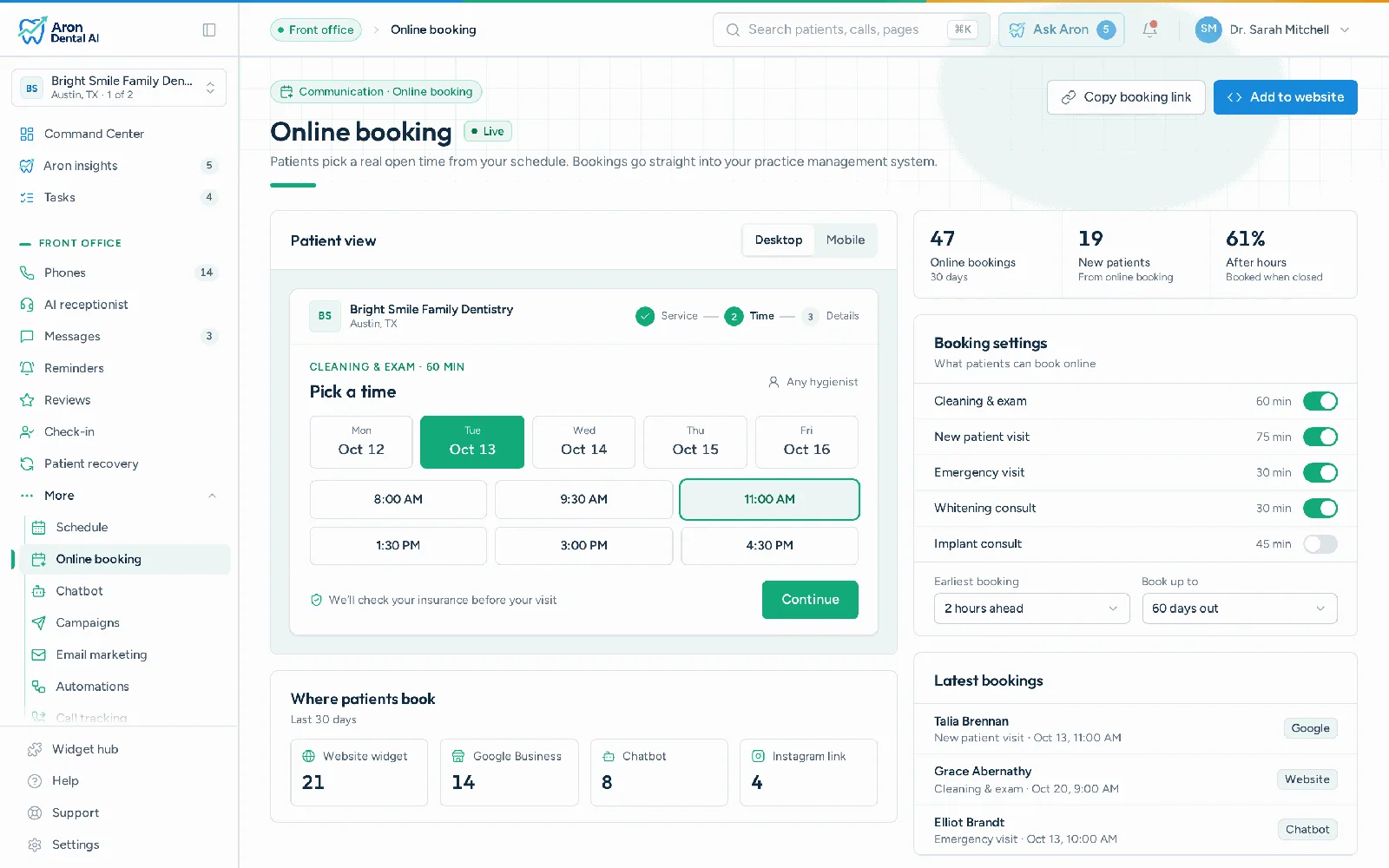
Think about when your patients actually decide to make an appointment. It is often in the evening after the kids are in bed, early in the morning before work or on a Saturday when the office is closed. If the only way to book is to call during business hours, a lot of those patients put it off, and some book with whichever practice lets them do it right now.
Our own data shows how real this is. Across four Aron offices, about 39% of online bookings came in after hours: before 8 AM, after 6 PM or on weekends (Aron client data, 189 of 483 bookings, July to October 2026). Those are patients who would otherwise have had to wait until the next business day to call.
Online booking for dentists closes that gap. Patients pick a time that works for them, the appointment lands on your schedule, and your team arrives in the morning to booked chairs instead of a list of voicemails. Our founder, Haroon Bhutta, has spent 12 years working with dental offices, and making it easy to book is one of the simplest ways he has seen practices grow.
Online booking software for a dental office shows patients your real open appointment times, lets them pick one, and writes the booking straight into your practice management system.

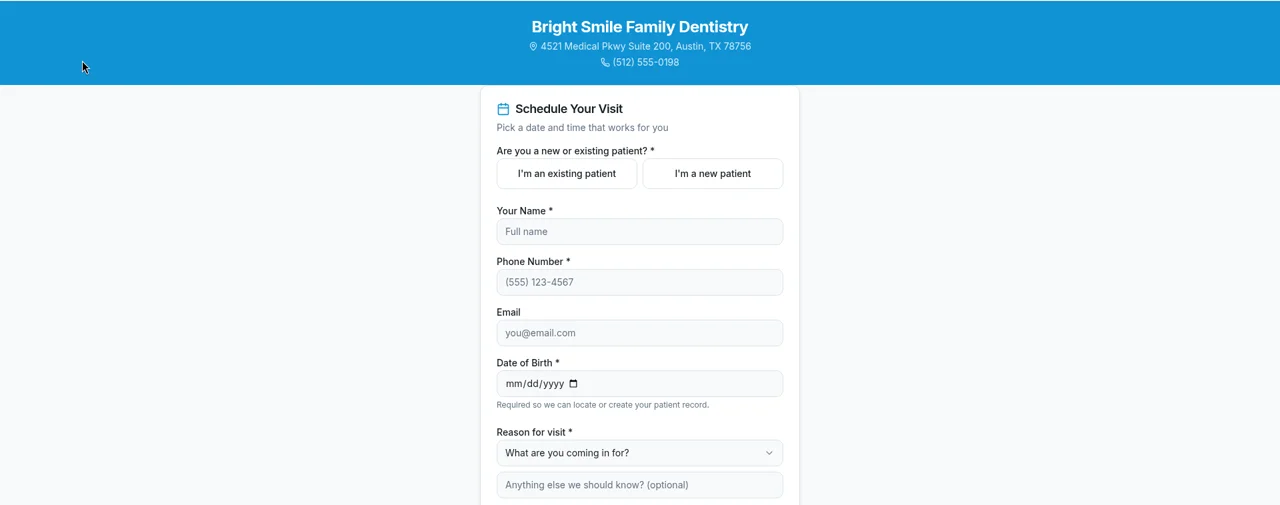
The patient chooses whether they are new or returning, then enters their name and contact details. Existing patients are matched to their record so you do not end up with duplicates.
They pick a reason for visit from a dropdown, such as a new patient exam, a cleaning or a toothache, and can add a note for the office.
They choose a date, then a time from a grid of open times based on your schedule and rules.
The appointment is written into your practice software in real time, the patient gets a confirmation text, and your team is notified.
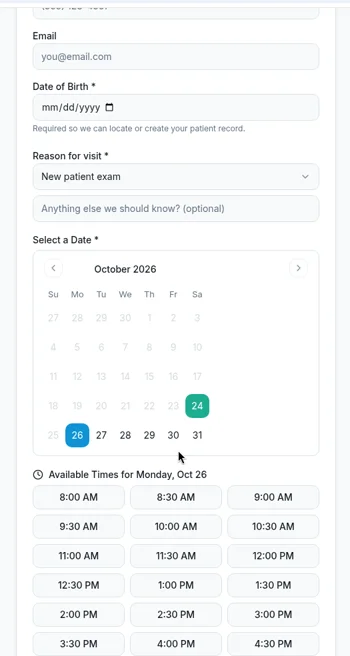
Every online booking is written into your practice software as it happens. No re-typing, no requests sitting in an inbox.
Separate flows for new and returning patients, and a setting to allow or disallow new patients booking online.
Add your Aron booking link to your Google Business Profile so patients can book straight from your listing.
Large tap targets and a short flow make booking easy on a phone.
Turn it on, and new patients get their intake forms by text automatically after they book.
If no open times fit, patients can still send a request, and your team is notified to follow up.
Can patients book with you as easily as with the practice down the street? Our free local competitor report checks online booking, Google Maps, reviews, website speed and AI answers for you and your nearest competitors. It takes about a minute.
Patients find you in different ways, so Aron gives them more than one way to book.
Put "Book" buttons on every page and embed the booking widget wherever it makes sense: your homepage, service pages, new patient page and ad landing pages.
Visitors with a question can ask the AI chat widget, which can point them straight to booking.
The biggest worry practices have about online booking is losing control of the schedule. Aron is built so that never happens.
You set the rules once, and every online booking follows them.
Booking is only the first step. Aron takes care of what comes next so your team does not have to.
1. The appointment is written into your practice software in real time.
2. The patient gets a confirmation text right away.
3. If you have turned it on, new patients get their intake forms by text automatically.
4. Automated text and voice reminders go out before the visit.
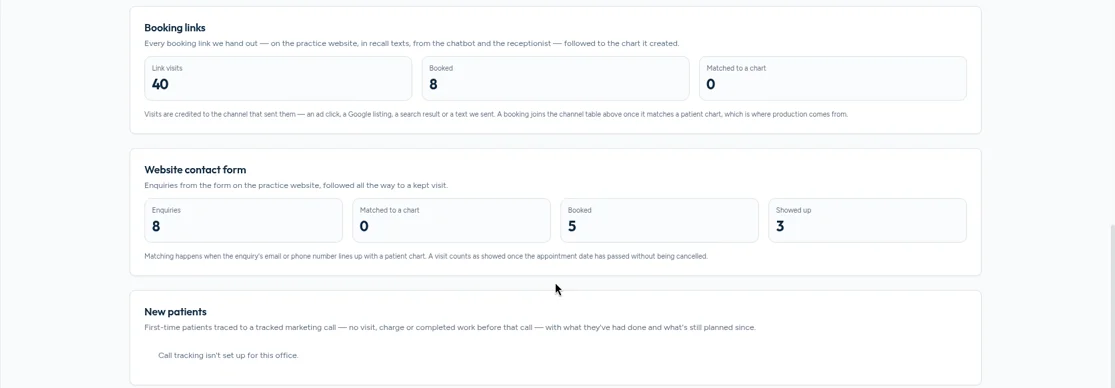
5. The booking's source is recorded so you can see which marketing produced it.

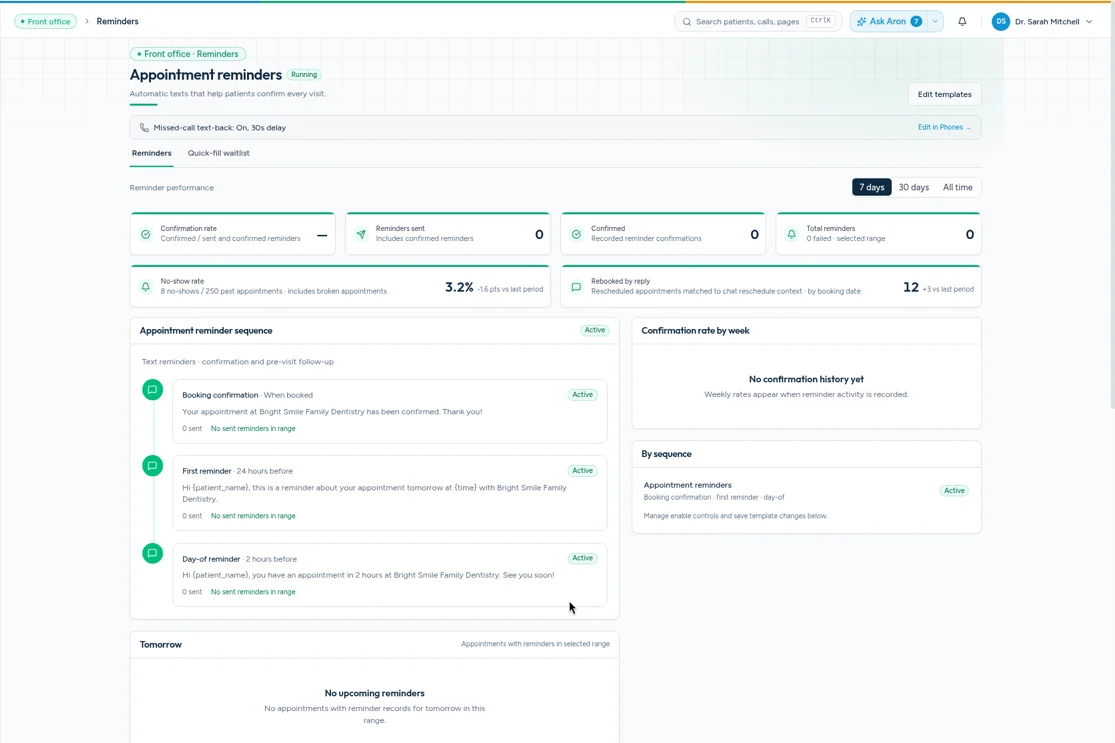
Patients judge an online booking experience in a few seconds. They expect to see real open times, not a form that says someone will call them back. They expect to finish on a phone with a few taps. They expect a confirmation right away so they know the appointment is real. And they expect a reminder before the visit. Aron is designed around those expectations: real times based on your schedule, a short flow made for phones, an instant confirmation text and automated reminders. When patients get that experience, they are more likely to book again and to recommend you to friends and family.
When a patient books online, Aron records where they came from, including UTM parameters and Google and Facebook click IDs. That data feeds Marketing ROI reporting, so you can see which ads, posts and pages produced real appointments. It is the difference between knowing you got clicks and knowing you got patients.
Marketing ROI | Dental PPC and Google Ads | Dental SEO services
| Aron | Many booking tools | |
|---|---|---|
| Written into your practice software in real time | Yes | Some |
| Appointment-type rules (length, operatory, specialty, limits, breaks) | Yes | Varies |
| New vs. existing patient flows with new-patient toggle | Yes | Varies |
| Confirmation text plus text and voice reminders | Yes | Varies |
| Intake forms texted after booking | Yes | Varies |
| Booking source tracking into ROI reporting | Yes | Rare |
| AI receptionist booking by phone | Yes | Rare |
| No long-term contracts | Yes | Varies |
General practices can open new patient exams, recall cleanings and emergency visits online. Pediatric offices can make it easy for busy parents to book checkups in the evening. Orthodontic practices can offer free consultations that land in the right chair with the right amount of time. Specialists who rely on referrals can keep online booking to existing patients only by turning off new patient booking. Groups can set up booking for each location with its own rules.
Pediatric dental marketing | Orthodontic marketing | Multi-location practices | DSOs
AI appointment booking for dentists | Best dental scheduling software in 2026 | How dental websites should convert traffic
Copy the booking snippet from your Aron dashboard and paste it onto any page. Most website builders support it, and Aron websites have booking built in.
Yes. Appointments are written into your practice software in real time, and patients only see times that fit your rules.
Yes, if you allow it. There are separate flows for new and existing patients and a setting to turn new patient online booking on or off.
No. Visit lengths come from your templates, and rules control the operatory, provider specialty, daily limits and breaks.
Yes. Add your Aron booking link to your Google Business Profile so patients can book from your listing.
A confirmation text right away, automated text and voice reminders before the visit, and, if you turn it on, intake forms by text for new patients.
The AI receptionist can book callers in English or Spanish. The online booking page and texts are currently in English.
Yes. You can set up booking for each location with its own rules and availability.
Yes. Bookings record their source, including UTM tags and Google and Facebook click IDs, and feed Marketing ROI reporting.
Aron is HIPAA-aligned and we sign a BAA. There are no long-term contracts.
See how Aron turns after-hours searches into booked appointments, written straight into your schedule. Start with a free scorecard or book a 30-minute demo.
Dental online booking syncs with your PMS by reading your live schedule for open slots, then writing the patient's booking straight into the same schedule, so there is no double entry and no double booking.

Works with the PMS you already use