
AI Receptionist for Orthodontists: What It Should Handle (2026)
Orthodontic phones are different: parents calling for kids, broken brackets, consult requests and adjustment visits. Here is what an AI receptionist for orthodontists must handle.
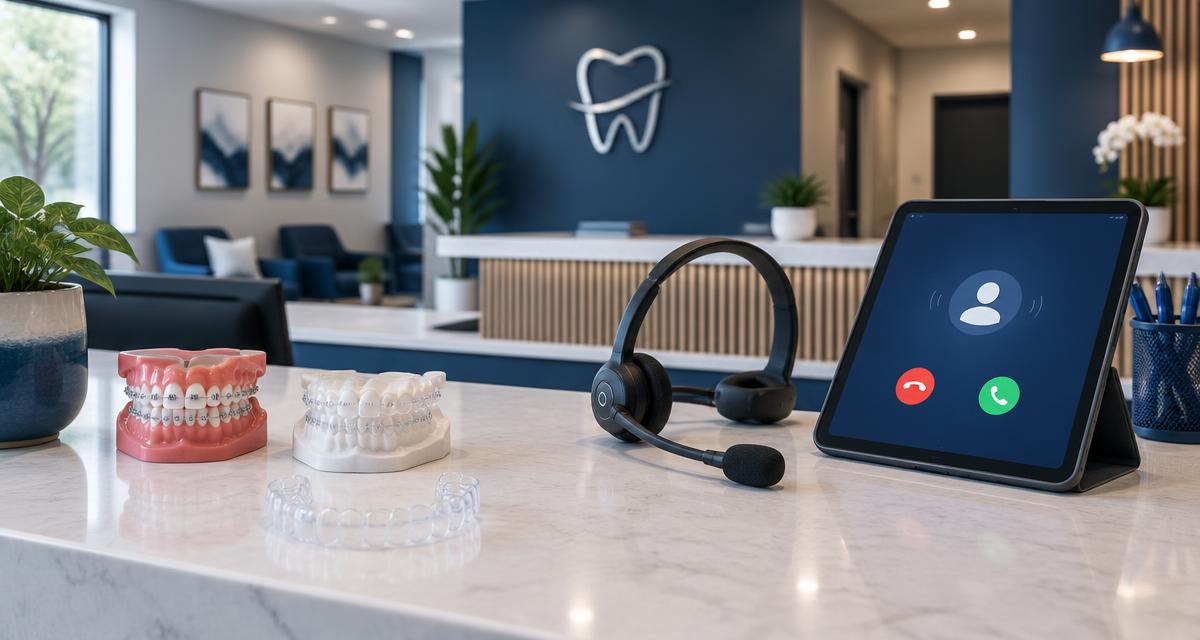
Orthodontic offices get a different kind of call than general dental offices. A parent calls about two kids. A teen with a broken bracket calls after school. Someone wants a consult for Invisalign. A parent asks what's left on the payment plan. An AI receptionist built for general dentistry often stumbles on these. This guide covers why ortho calls are different, what an AI receptionist for orthodontists should handle, how to set it up, what to measure and what to check before you buy. Explore Aron's AI receptionist for dental practices.
TL;DR
- Most orthodontic calls are routine: consult requests, adjustment visits, reschedules, broken brackets and payment questions.
- The AI must handle families: one phone number, several patients. It should ask which child the call is about, never guess.
- It must book into the right chair and the right visit length. Consults, adjustments, repairs and debonds are not interchangeable.
- Consult calls are your most valuable calls. They should be answered every time and booked on the spot.
- Emergencies like poking wires get triaged and routed to the team, not left in a voicemail.
- Aron answers 100% of calls and books straight into your practice software, including ortho systems like Dolphin and Cloud 9.
Why orthodontic calls are different
In ortho, the caller is often not the patient. Parents book, reschedule and ask about payments for one or more children. Treatment runs for many months with regular adjustment visits, so a large share of calls are about moving those visits around school, sports and work. And new patient calls are mostly consult requests, which are your most valuable calls.
Three more things set ortho apart:
- After-school rush. Demand for late-afternoon slots is high, and that's exactly when the front desk is busiest in the office. Calls that come in at 3:30 PM often go unanswered.
- Payment plans. The American Association of Orthodontists notes that many orthodontists offer payment plans, often a down payment followed by monthly payments. That creates a steady stream of "what do I owe" and "can I change my card" calls.
- Long relationships. A family may be with your office for years, sometimes with several children in treatment one after another. Getting their details right matters.
What an AI receptionist for orthodontists should handle
1. Family-aware caller identity
When a phone number matches several patients, the receptionist should ask which family member the call is about before reading or changing anything. It should confirm with a date of birth, not just a first name. If it can't confidently match an existing patient, it should put them on a callback list for your team, never create a duplicate chart.
2. Consult booking
New patient consults (braces, Invisalign, early treatment for kids) should book straight into real open consult slots. The AI should capture:
- The parent's name and contact details, and the patient's name and date of birth.
- What they're interested in, and whether a dentist referred them.
- Insurance, if any, and whether it includes orthodontic coverage.
- How they heard about you, so your marketing reports are accurate.
Pair it with online booking so website visitors get the same consult slots, and a confirmation text with what to expect at the first visit.
3. Adjustments and reschedules
The AI needs to know your visit types and lengths, which chairs they go in, and which providers can see them. Offering a time that isn't actually bookable is worse than not answering. It should also respect your scheduling rules, like keeping long appointments out of the after-school block if that's how you run your day.
4. Broken brackets and poking wires
These feel urgent to a parent. The AI should give simple comfort guidance (orthodontic wax on the poking wire, don't cut it yourself), then route the call or book a repair visit according to your rules. True emergencies, such as trauma or swelling, should go straight to your team.
5. Payment and contract questions
Ortho treatment is usually paid over time. The receptionist can answer "what do I owe" style questions only if it can see the ledger and the payment plan. Otherwise it should send a payment link or queue a callback for your financial coordinator. It should never guess at a balance.
6. Referrals and records requests
General dentists' offices call to refer patients or ask for records. The AI should capture the details and route them to the right person, not try to send records itself.
Sample call flows
A new consult at 7 PM
A parent calls after dinner about braces for her 11-year-old. The AI asks whether either of them has been seen before, takes the child's date of birth and the family's insurance, offers the next three open consult times, and books one. The parent gets a confirmation text and a link to new patient forms. The next morning, your treatment coordinator sees the consult on the schedule with everything captured.
A reschedule for one of two kids
A dad calls from the number on file for two siblings. The AI asks which child the call is about, confirms the date of birth, and offers new adjustment times that fit after school. It moves only that child's appointment and texts the new time.
A poking wire on a Saturday
A teen calls about a wire poking her cheek. The AI explains how to use orthodontic wax, checks that there's no swelling or injury, and books the first repair slot on Monday. If your rules say to page the on-call doctor for certain cases, it follows them.
Practice software matters more in ortho
Orthodontic practices run on ortho-specific systems such as Dolphin, Cloud 9, OrthoTrac, Ortho2 Edge, WaveOrtho, Greyfinch and topsOrtho, or on ortho modules in general dental software. Each one handles chairs, visit types and contracts a little differently. Ask any vendor whether it reads and writes appointments in your exact system and version, and ask to see a test booking land in your schedule. See our reviews of Dolphin Management and Cloud 9 for the integration limits.
Aron connects to Dolphin and Cloud 9 as well as general systems like Dentrix, Open Dental, Eaglesoft, Curve Dental and Denticon. If you run a different ortho system, ask us on a demo what's supported today.
How to set it up
- List your visit types: consult, records, bonding, adjustment, repair, debond, retainer check. Note each one's length, chair and provider.
- Set your consult rules: which days and times consults are offered, and how far out to book.
- Set your emergency rules: what gets booked as a repair, what gets routed to the team, and who's on call after hours.
- Decide how payment questions are handled: answer from the ledger, send a payment link, or queue a callback.
- Start with after-hours and overflow calls, then review a week of calls before routing more.
What to measure
- Consult calls answered, especially after school and after hours.
- Consults booked from calls and online booking.
- Consult show rate and how many start treatment.
- Callback list size and how fast the team works it.
- Reschedules handled without staff involvement.
Checklist before you buy
- Does it ask which family member is calling when a number matches several patients?
- Does it confirm identity with a date of birth?
- Does it book consults, adjustments and repairs into the right chair and length?
- Does it read and write appointments in your ortho software?
- Does every unresolved call reach a callback list your team works?
- Does it send reminders and confirmations in your practice's time zone?
- Can you hear recordings and read summaries of every call?
- Will the vendor sign a business associate agreement (BAA)?
How Aron fits orthodontic offices
Aron's AI receptionist is included in every plan, starting with Basic at $399/month. It answers every call 24/7, books into your practice software, and puts anything it can't handle on a shared callback list. Basic also includes two-way texting, missed-call text-back, reminders, online booking, patient forms with write-back and Aron's cloud phone system with 4 phone lines (handsets sold separately). Pro ($799/month) adds insurance verification, payment links, payment plans and the morning huddle. Learn more about Aron for orthodontic practices.
For a wider comparison, read the best AI receptionists for dental offices and what an AI front desk covers.
FAQ
Can an AI receptionist book Invisalign consults?
Yes, if it's connected to your schedule and knows which slots and chairs are set up for consults.
What happens when a parent calls about two kids?
A good system asks which child the call is about, confirms with a date of birth, then handles each one separately.
Does it replace my treatment coordinator?
No. It handles routine calls so your coordinator can spend time on consults and case presentations.
Will it handle emergencies?
It should triage common ortho issues like poking wires and loose brackets, give simple comfort tips, and route true emergencies to your team using your rules.
Can it answer payment plan questions?
Only if it can see your ledger and contracts. Otherwise it should send a payment link or queue a callback, never guess at a balance.
Does Aron work with ortho practice software?
Aron connects to Dolphin and Cloud 9, and to general dental systems with ortho modules. Ask on a demo about your exact system.
Book a 30-minute demo to hear Aron book a consult into your own schedule.