
AI Dental Front Desk: Receptionist, Check-In & Reminders in One
An AI dental front desk handles the routine work around a visit: phones, booking, reminders, check-in and insurance. Your team handles the people.
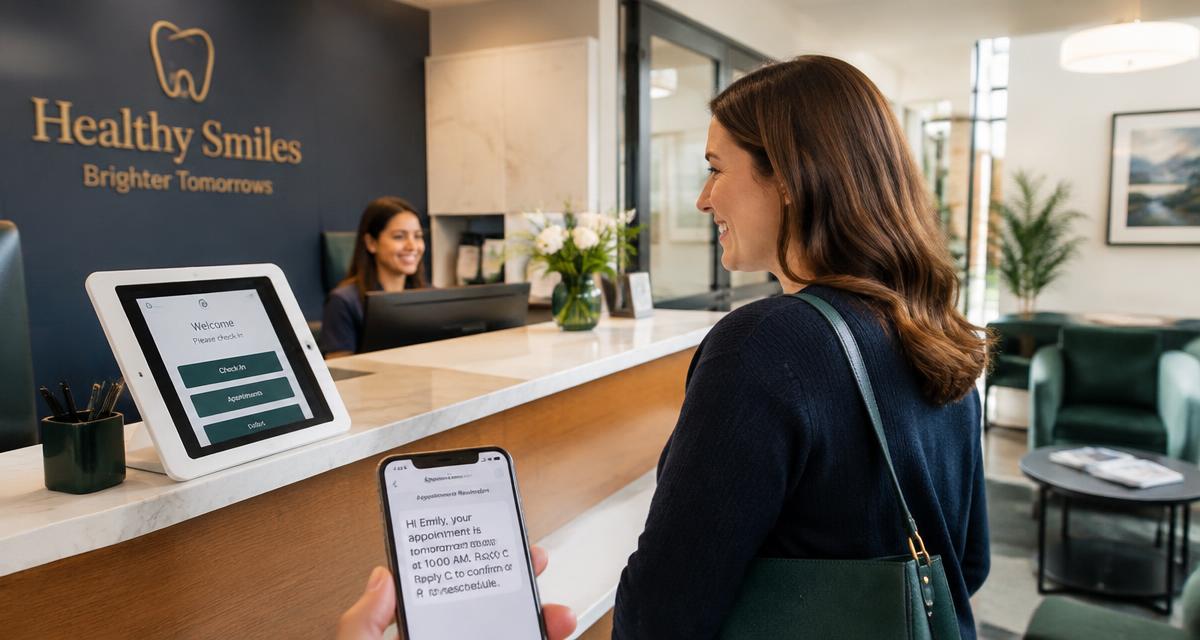
An AI dental front desk is not a robot at the reception counter. It's software that handles the routine work around a visit: answering the phone, booking, sending reminders, checking patients in and confirming insurance. Your team handles the people. This guide walks through what each job looks like, how a patient's visit flows through it from first call to checkout, what should stay human, how to roll it out without disrupting your office, and what to check before you buy.
TL;DR
- An AI front desk covers four jobs: phones, reminders and confirmations, check-in, and insurance.
- The value comes from those jobs sharing one schedule and one patient record, not from four separate tools.
- The AI must read and write your practice software directly. If it only takes messages, your staff still does the work.
- Keep people for anything clinical, financial or sensitive, and make sure every unresolved call reaches a callback list.
- Roll it out in steps: after-hours calls first, then overflow, then reminders and check-in.
- Aron runs the receptionist, reminders, check-in and insurance from one platform.
Why front desks need help
Dental front desks do several jobs at once: greet the patient at the window, answer the phone, check insurance, collect payment and fill tomorrow's openings. When two of those happen at the same time, one waits, and it's usually the phone. The American Dental Association warns that some practices lose as many as 30 to 50 percent of first contacts from prospective patients.
The answer isn't to make the team work faster. It's to take the routine, repeatable parts off their plate so they can focus on the person in front of them. See how many calls your office misses and what it costs.
The four jobs an AI front desk handles
1. Phones: the AI receptionist
An AI receptionist answers every call, day or night, identifies the caller, and books into real open slots in your practice software. A good one handles:
- New patient booking, including the reason for the visit, date of birth and insurance details.
- Existing patient reschedules and cancellations.
- Common questions: hours, location, parking, whether you take a plan, what to bring.
- After-hours and lunch calls, and overflow when every line is busy.
- Urgent calls, routed to your team using your rules.
When it can't help, for example an existing patient it can't match with confidence, it should add them to a callback list instead of guessing or creating a duplicate chart. Read what a dental AI receptionist can and can't do for the honest limits.
2. Reminders and confirmations
Automated reminders text patients before their visit and record their confirmation. The rules that matter:
- Local time. Send in the practice's time zone, never at 6 AM because a server was set to another one.
- Live check before sending. Re-check the appointment right before each reminder, so a patient who moved their visit doesn't get a text for the old time.
- Sensible spacing. Several reminders can work well (for example a week before, two days before and the morning of), but they should be spaced out, not stacked.
- Replies understood. "C," "yes," "can't make it" and "running late" should each do the right thing.
- STOP honored instantly, across every message type.
See SMS vs email vs voice reminders and our reminder templates.
3. Patient check-in
Digital check-in lets patients check in on arrival from their phone or a tablet, finish outstanding forms and snap a photo of their insurance card. The front desk sees who has arrived without a clipboard. Forms that write back to your practice software save the team from re-typing medical history and contact changes. Card photos should be stored privately, not emailed around. More in digital patient forms and practice software integration.
4. Insurance verification
Eligibility is checked electronically before the visit so the front desk isn't on hold with a carrier while the patient waits. Results should land on the schedule with what the patient will likely owe, and anything inactive or unclear should be flagged for a person. Full details in how AI dental insurance verification works.
One patient, start to finish
Here's how a single new patient (an example, not a real patient) moves through an AI front desk when the four jobs share one system.
- Tuesday, 7:40 PM. Maria calls about a cleaning. The office is closed. The AI receptionist answers, asks if she's been seen before, takes her date of birth and insurance, and books Thursday at 10 AM in a hygiene opening. She gets a confirmation text.
- Wednesday morning. Her insurance is checked automatically. Coverage is active, the deductible is met, and her cleaning is likely covered in full. Her new patient forms go out by text.
- Wednesday afternoon. A reminder goes out after the system confirms the appointment is still on the schedule. Maria replies "C" and it's marked confirmed.
- Thursday, 9:52 AM. Maria checks in from her phone in the parking lot and uploads her card. The front desk sees her as arrived, forms done.
- Thursday, after the visit. The team books her next cleaning before she leaves, and she gets a text asking for a Google review.
Nobody on the team typed her details twice, and nobody chased her on the phone. That's the difference between one platform and four tools.
Why one platform beats four tools
- One schedule. A booking from the phone shows up in reminders and check-in automatically.
- One patient match. Matching by date of birth first, then phone, avoids texting the wrong family member.
- No duplicate texts. When separate tools each send their own reminder, patients get two or three messages and start ignoring them.
- One place to see the day. A morning huddle view shows arrivals, forms, insurance problems and balances together.
- One bill and one support team when something needs fixing.
What should stay human
- Clinical questions and emergencies beyond basic triage (see our emergency triage script).
- Treatment plan and payment conversations.
- Upset patients and complaints.
- Anything the AI isn't sure about. It should hand off, not guess.
The goal is for the team to spend more time on these conversations, not less.
How to roll it out
You don't have to switch everything on at once. A gradual rollout builds the team's trust and lets you tune the rules.
- Map your schedule. Match each visit type to the right providers, chairs and lengths, so bookings land where they belong. This is the most important setup step.
- Start with after-hours calls. Send nights, weekends and lunch to the AI receptionist first. Review the calls and bookings for a week.
- Add overflow. Route calls the team can't pick up within a few rings to the AI.
- Turn on reminders. Turn off reminders in any old system the same day, so patients don't get two.
- Add check-in and forms. Put a QR code at the window and include the check-in link in reminders.
- Review weekly. Listen to a few calls, work the callback list daily, and adjust rules as you go.
What to measure
- Answer rate: share of calls answered by a person or the AI. Aim for every call.
- Bookings from calls, especially after hours.
- Callback list: how many, and how fast the team works them.
- Confirmation rate and no-shows.
- Forms completed before arrival.
- Insurance problems caught before the visit, not at checkout.
Checklist before you buy
- Does it book directly into your practice software, on the right provider and chair?
- Does every unresolved call land on a callback list your team works?
- Are reminders sent in your local time and checked against the live schedule?
- Does STOP opt-out apply to every message type?
- Do forms write back to your practice software?
- Can you hear recordings and read summaries of every call?
- Is pricing flat, or per minute or per message?
- Will the vendor sign a business associate agreement (BAA)?
How Aron does it
Aron's Basic plan ($399/month) includes the AI receptionist, two-way texting, missed-call text-back, reminders, online booking, patient forms with write-back, review requests and Aron's cloud phone system with 4 phone lines (handsets sold separately). Pro ($799/month) adds insurance verification with 150 checks per month, the morning huddle, payments and the patient recovery worklist. Aron connects directly to Open Dental, Dentrix, Eaglesoft, Curve Dental, Denticon and most other major systems, is HIPAA-aligned, and works under a signed BAA. Most practices are up and running within 24 to 48 hours.
Comparing vendors? Start with the 2026 AI receptionist buyer's guide and AI answering service vs live answering.
FAQ
Will an AI front desk replace my staff?
No. It removes routine calls and paperwork so your team can focus on patients in the building, treatment conversations and payments.
Which practice software works?
Aron connects directly to your practice software, including Open Dental, Dentrix, Eaglesoft, Curve Dental, Denticon and most other major systems.
How long does setup take?
Most practices are up and running within 24 to 48 hours. Most of that time is mapping visit types to providers and chairs so bookings land in the right place.
Do I have to change my phone number?
No. You can forward your existing number to the AI receptionist. If you want to move your number to Aron's phone system, that usually takes about 10 business days, and your phones keep working the whole time.
What happens when the AI can't help a caller?
The caller goes on a callback list with a summary of what they needed, and urgent calls are routed to your team using your rules.
Is it HIPAA-aligned?
Aron is HIPAA-aligned and works under a signed business associate agreement (BAA). Ask any vendor for a signed BAA before turning anything on.
Book a 30-minute demo to see the AI front desk on your own schedule.